

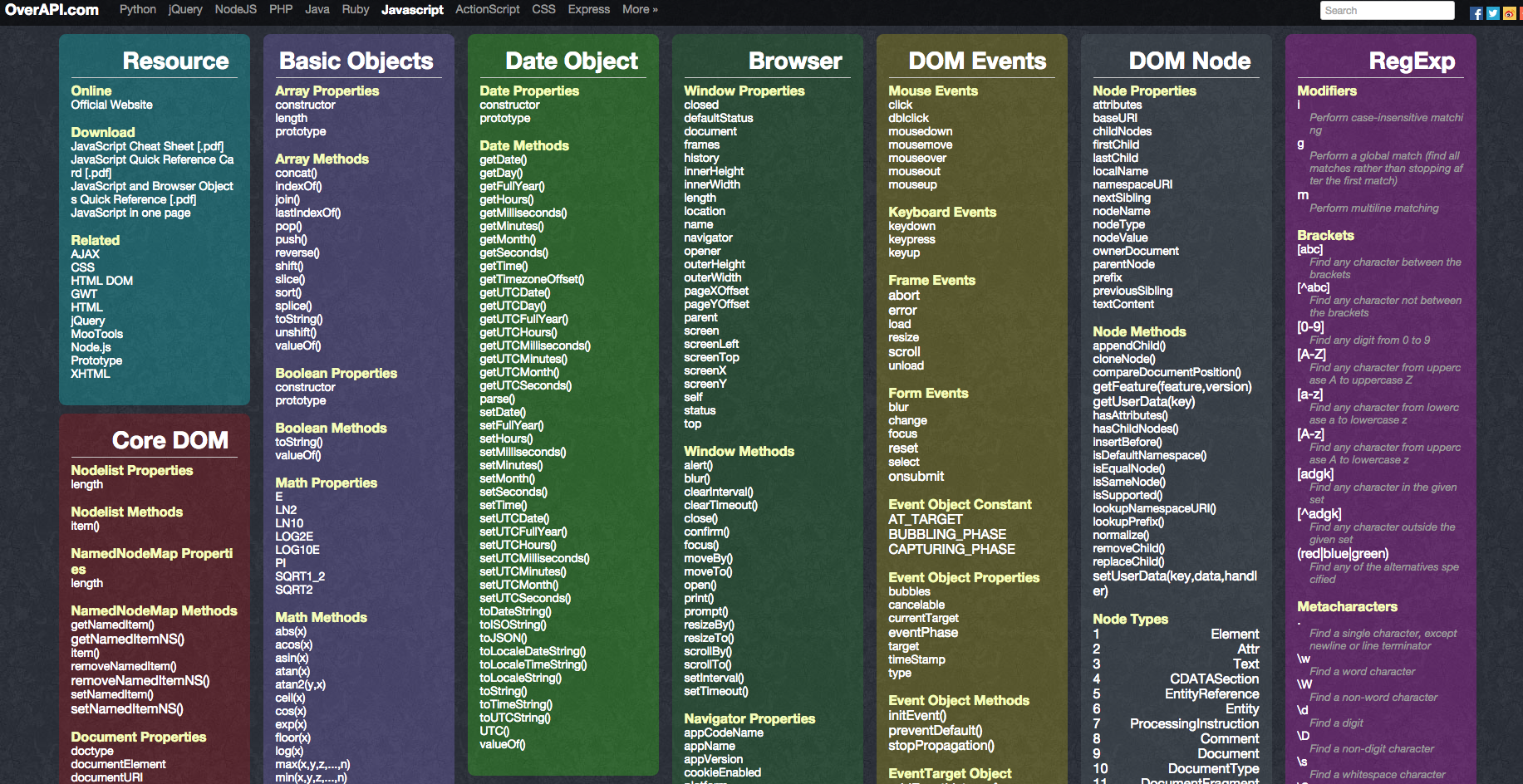
Web developers need quick access to essential information. A cheat sheet offers this in one place.
In the fast-paced world of web development, efficiency is key. Developers juggle multiple tasks and tools daily. A cheat sheet simplifies this process, acting as a handy reference guide. It condenses complex codes, shortcuts, and best practices. This saves time and reduces errors, boosting productivity.
Whether you’re coding HTML, CSS, or JavaScript, a cheat sheet keeps vital information at your fingertips. No more flipping through countless resources or scanning endless web pages. It’s a practical tool for beginners and seasoned pros alike. Dive into the world of web development with confidence and ease. Let a cheat sheet be your go-to guide.

Credit: www.pinterest.com
Html Basics
HTML Basics are the foundation of your web development journey. Imagine you’re building a house; HTML is the framework that gives it shape and structure. Without a solid grasp of these basics, creating a functional and visually appealing website can be challenging. Let’s dive into some essential elements that will make your HTML skills shine.
Essential Tags
Essential tags are the building blocks of HTML. They define the structure and content of your web page. Start with the tag to declare that your document is an HTML file. Then, use to include metadata and links to CSS or JavaScript. The tag houses the content visible to users.
Consider using to tags for headings. They help in organizing content and are crucial for SEO. Have you ever noticed how search engines prioritize content structured with headings? That’s the magic of these tags.
Embrace for paragraphs. It’s a simple yet powerful tag that breaks down text into readable segments. Don’t forget for links. It connects pages and guides users through your site. Imagine a reader clicking on a link and discovering a new world on your website.
Common Attributes
Attributes add details to tags, enhancing their functionality. The class attribute helps you apply CSS styles efficiently. With id, you can target specific elements for unique styling or scripting. It’s like giving each element its personal identity.
Don’t overlook href in tags. It defines the link’s destination, guiding users to external sites or internal pages. Have you set up links that provide valuable resources? Your users will appreciate the convenience.
Explore the src attribute for images. It specifies the path to the image file, ensuring that visuals load correctly. Think about the last time an image didn’t show up—frustrating, right? Proper use of src prevents this.
Consider using alt for images. It serves as a textual alternative, aiding accessibility and SEO. How often do you encounter images with missing descriptions? Adding alt text makes your site more inclusive.
These basics are your toolkit. They empower you to create captivating and functional web pages. Which tag or attribute will you master today to elevate your website?
Credit: sellfy.com
Css Fundamentals
Understanding CSS fundamentals is crucial for every web developer aiming to create visually appealing and responsive websites. CSS, or Cascading Style Sheets, allows you to control the look and feel of your site. It’s the bridge between your HTML structure and the beautiful design you envision. Let’s dive into some core aspects of CSS that every web developer should master.
Selectors And Properties
Selectors and properties form the backbone of CSS. Selectors are used to target HTML elements, while properties define the styles you want to apply to those elements. Imagine selecting the perfect outfit; selectors choose the clothes, and properties determine how they’re worn.
There are various types of selectors, such as class selectors, ID selectors, and element selectors. Each serves a different purpose. For example, use a class selector to apply styles to multiple elements and an ID selector for a unique element. What about properties? They include color, font-size, margin, and more. Mastering these basics will enhance your ability to style websites effectively.
Have you ever tried to change the color of a button but nothing happens? It’s likely due to a specificity issue, where a more specific selector overrides a less specific one. Knowing how selectors and properties work together can save you time and frustration.
Responsive Design
Responsive design is no longer optional; it’s a necessity. With the myriad of devices available, ensuring your website looks good on all screen sizes is crucial. This is where CSS can be your best friend or your worst enemy, depending on your knowledge.
Media queries are a powerful tool for responsive design. They allow you to apply different styles based on the device’s characteristics like screen width. For instance, you can adjust the layout for mobile devices by using a media query to change the flex direction or hide certain elements.
Have you considered how your site looks on an iPad or a large desktop monitor? Testing across devices helps you understand the user experience. Fluid grids and flexible images are other key components of responsive design. They adapt to the screen size, ensuring your design looks seamless everywhere.
By integrating these CSS fundamentals, you can build websites that are not only beautiful but also functional across all devices. What will you create next with your newfound skills?
Javascript Essentials
Learning JavaScript can feel like unraveling a mystery, but mastering its essentials is crucial for every web developer. From simple scripts to complex applications, JavaScript is the backbone of interactive web experiences. Whether you’re a budding coder or a seasoned pro, understanding the core concepts can elevate your coding game.
Data Types And Variables
JavaScript revolves around data types and variables, the basic building blocks of any program. Think of variables as containers that store information, which you can use and manipulate. JavaScript supports several data types including string, number, boolean, null, undefined, symbol, and object.
Imagine you want to keep track of your daily coffee intake. You could create a variable like let cupsOfCoffee = 3;. This line tells JavaScript to remember the number 3 every time you reference cupsOfCoffee. What data are you storing in your JavaScript variables, and how could this make your projects more efficient?
Functions And Events
Functions are blocks of code designed to perform specific tasks. They help you avoid repetition, making your code cleaner and more efficient. You define a function with a name, and then you can call it whenever you need it.
Consider a situation where you need to calculate the total price of items in a shopping cart. You could write a function like function calculateTotal(priceArray) { / code to sum up prices / }. Calling this function each time ensures you’re using the same logic consistently across your application.
Events, on the other hand, are actions that occur in the browser, like clicks or key presses. They allow you to respond to user interactions, making your website dynamic and interactive. What’s an event-driven feature that could enhance your website’s user experience?
By embracing these JavaScript essentials, you’re not just writing code—you’re crafting a more engaging and efficient web experience. Which of these concepts will you experiment with next to improve your web development skills?
Version Control
Version Control: A vital aspect of web development. Keeps track of changes in code. Helps developers collaborate efficiently. Essential for maintaining code integrity. An invaluable tool in a developer’s toolkit.
Git Commands
Git is popular for version control. Basic commands are essential to learn. git init starts a new repository. git clone copies an existing repository. git add stages changes for commit. git commit saves changes to the repository. git push sends local changes to a remote repository. git pull fetches and merges changes from a remote repository.
Branching Strategies
Branches allow separate development lines. Aids collaboration and experimentation. Feature branches are used for new features. Hotfix branches address urgent bugs. Release branches prepare code for production. Git Flow is a structured branching model. Ensures organized development and releases. Choose a strategy that fits team needs.
Web Performance Tips
Web performance is crucial for keeping your audience engaged and ensuring a smooth user experience. If your site takes too long to load, visitors might leave before they even see your content. Let’s look at some practical web performance tips that can help you optimize your site effectively.
Optimizing Images
Images can significantly slow down your website if not handled properly. Always ensure your images are the right size. Using an image that is too large for its display area wastes bandwidth and increases load times.
Consider using formats like WebP or JPEG 2000 that offer better compression without compromising quality. These formats can drastically reduce file sizes, making your site faster.
Tools like TinyPNG or ImageOptim can help compress your images before uploading them. Why not give them a try and see how much faster your site can become?
Minifying Resources
Minifying resources involves removing unnecessary characters from your code. This includes spaces, comments, and line breaks, which can make your files larger.
Smaller files mean faster downloads. Using tools like UglifyJS for JavaScript or CSSNano for CSS can automate this process.
Have you ever glanced at a beautifully organized code and thought it was too good to minify? Remember, your users appreciate speed over aesthetics in your code.
Implementing these simple yet effective strategies can significantly enhance your website’s performance. What changes will you make to improve your site speed today?
Seo Best Practices
SEO best practices help your website rank better on search engines. Understanding these practices is crucial for any web developer aiming for higher visibility. Effective SEO strategies ensure your site is not just found but preferred by users. Let’s explore how meta tags and page load improvements can boost your SEO.
Meta Tags
Meta tags are vital for communicating with search engines. They summarize your page content. Use clear, relevant keywords in your meta descriptions. This helps search engines understand your page better. Meta titles should be concise yet descriptive. Aim for 50-60 characters for optimal display. Ensure each page has unique meta tags. Avoid duplication to prevent confusion.
Improving Page Load
Fast-loading pages enhance user experience and SEO. Optimize images to reduce file size. Compress them without losing quality. Enable browser caching for quicker load times. Minimize JavaScript and CSS files. Use asynchronous loading for scripts. This prevents delays in page rendering. Check server response times regularly. A fast server improves overall page speed.
Debugging Techniques
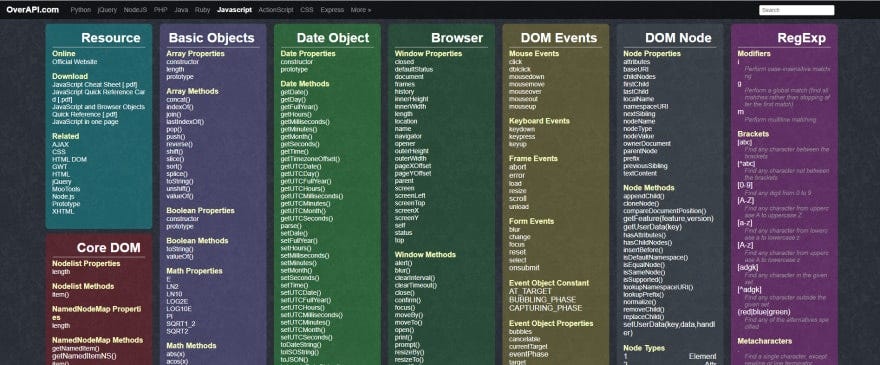
Debugging is a critical part of web development. It helps identify and fix issues. Without effective debugging, errors can frustrate users. Fortunately, various techniques can help simplify the process. These methods are essential for maintaining a smooth user experience. Let’s explore some popular debugging techniques.
Browser Developer Tools
Browser Developer Tools are indispensable for debugging. They provide a suite of features to inspect code. You can analyze HTML, CSS, and JavaScript easily. Use the console to view error messages. The network tab checks server requests and responses. Adjust elements live with the elements tab. These tools make debugging more efficient.
Common Error Solutions
Understanding common errors speeds up debugging. Syntax errors often occur due to typos. Check your code carefully for misspellings. Reference errors happen when a variable is undefined. Ensure all variables are declared before use. Type errors arise from incorrect data types. Verify your data types match their intended use. These solutions solve frequent problems quickly.
Credit: javascript.plainenglish.io
Security Measures
Security measures are vital in web development. They safeguard websites from threats and protect sensitive information. Developers must adopt robust strategies to ensure website security. This section of the cheat sheet explores essential security practices.
Protecting Data
Data protection is crucial for maintaining user trust. Encrypt sensitive information to prevent unauthorized access. Implement SSL certificates for secure data transmission. Regularly update your software to patch vulnerabilities. Limit data collection to what is necessary. Use strong passwords and enable two-factor authentication.
Preventing Attacks
Attack prevention shields websites from malicious threats. Utilize firewalls to filter harmful traffic. Regularly scan for malware and remove any detected threats. Keep your web server configurations secure. Validate user inputs to prevent SQL injection attacks. Monitor website traffic to identify unusual patterns.
Frequently Asked Questions
What Is A Web Developer Cheat Sheet?
A web developer cheat sheet is a concise reference guide. It summarizes essential coding concepts, syntax, and tools. This resource helps developers quickly recall information during coding. It’s especially useful for beginners and experienced developers. Cheat sheets often cover HTML, CSS, JavaScript, and more.
How Can Cheat Sheets Boost Productivity?
Cheat sheets enhance productivity by providing quick access to crucial information. They reduce the time spent searching for syntax or commands. This allows developers to focus more on coding. With important details at a glance, efficiency improves significantly.
Are Cheat Sheets Suitable For Beginners?
Yes, cheat sheets are perfect for beginners. They simplify complex coding concepts into easy-to-understand formats. Beginners can quickly grasp fundamental programming languages and tools. This helps build a strong foundation and accelerates learning. Cheat sheets also reduce the intimidation factor of coding.
What Topics Are Covered In Cheat Sheets?
Cheat sheets cover a wide range of topics. Common areas include HTML tags, CSS properties, and JavaScript functions. They may also include frameworks like React or Vue. Other topics can include Git commands, SQL queries, and responsive design principles.
Conclusion
This cheat sheet helps web developers work smarter and faster. It includes essential shortcuts and quick tips. Handy for beginners and seasoned developers alike. Keep it nearby while coding. Save time, reduce errors, and boost productivity. Simplifies complex tasks into easy steps.
Enhance your web development skills with practical advice. Stay organized with clear guidelines. Use this tool to streamline your workflow. Embrace efficient coding practices. Make your development journey smoother. Enjoy building websites with confidence and ease. Happy coding!